

















Is My Device Compatible with Toppal Voice?
Toppal Voice is an advanced Android car voice assistant designed specifically for Android-based car head units. This guide provides a complete overview of compatibility requirements, activation steps, user experience, troubleshooting tips, and licensing policies. If you’re considering installing Toppal Voice, this article will help you determine whether your current Android car stereo setup supports it—and how to activate it properly.Toppal Voice nedir?
Toppal Voice is an AI-powered assistant that allows hands-free driving control of your in-car system. From playing music to launching navigation or getting weather updates, it supports voice commands in multiple languages, enhancing driving safety and convenience. Once installed, Toppal Voice integrates seamlessly with your head unit interface and can work both online and offline for basic commands.System Requirements
- Android operating system (Android 9.0 or later recommended)
- Support for Wi-Fi and mobile hotspot
- Ability to install third-party APK files
- At least 1GB RAM and 16GB storage
Device Compatibility
Not all Android head units are compatible with Toppal Voice. Please make sure your device allows third-party APK installation and supports internet connectivity. You can refer to our mainboard compatibility list for supported models. If your system lacks Wi-Fi, Bluetooth, or APK support, it may not be eligible for installation.How to Activate Toppal Voice
- Purchase a valid activation code from our official store.
- Rename your phone’s hotspot name (SSID) to the activation code provided.
- Turn on Wi-Fi on the car radio and connect it to the phone’s hotspot.
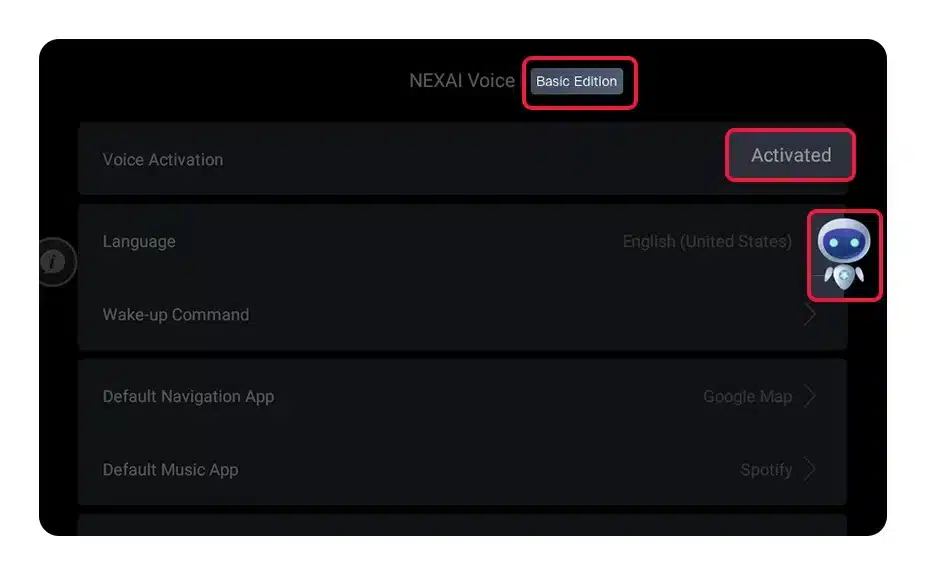
- Once the internet is successfully connected, Toppal Voice will automatically activate.
Activation Screenshots
Android Phones: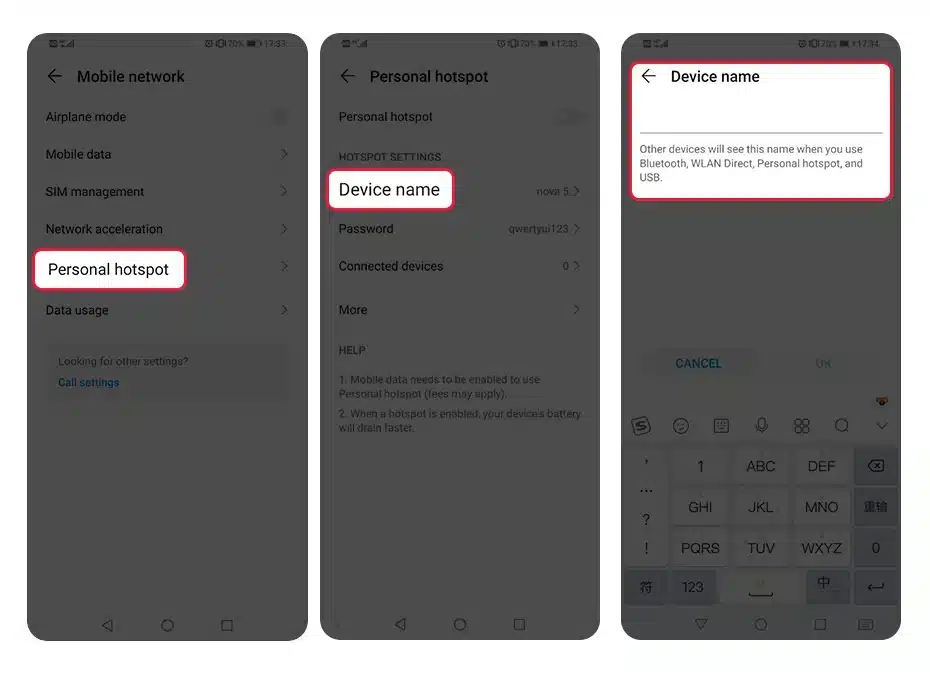 iOS Phones:
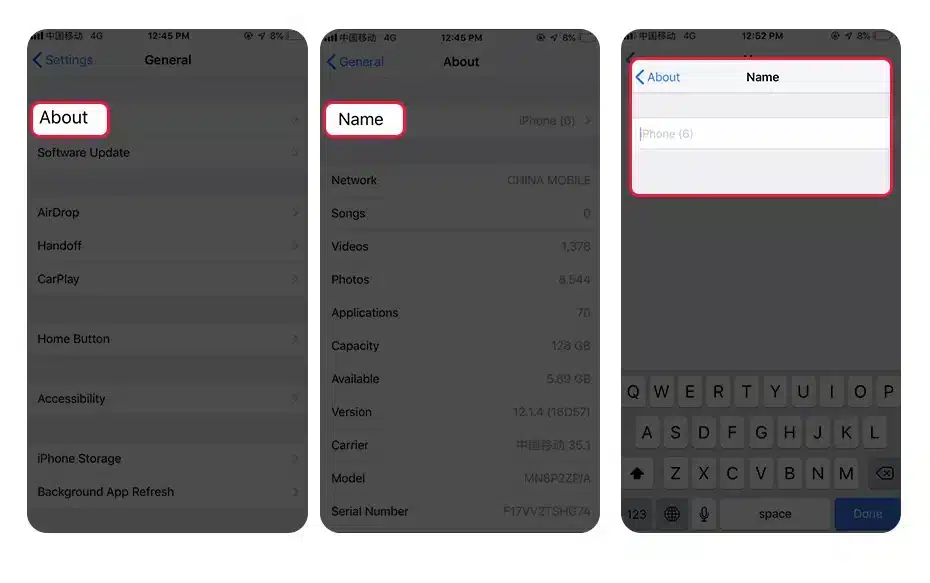 Activation Status via App:
How to Check If Activation is Successful
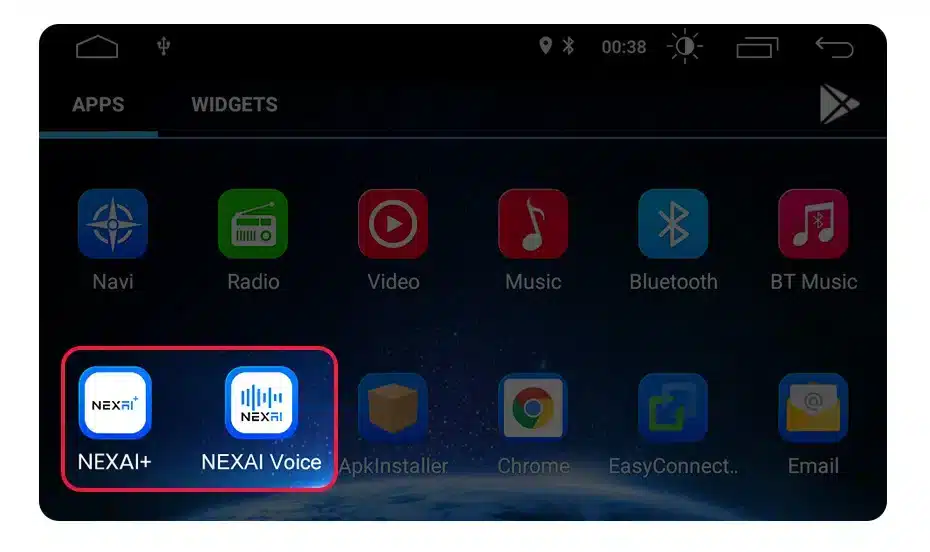
After following the activation guide steps, open the “Toppal Sound” application to check the activation status on compatible Android car head units to check activation status. If successful, the voice control feature will be enabled, and the NEX bar will change color to indicate active status.Why Activation Might Fail
- Check if “Toppal Service” and “Toppal Voice” apps are installed. If not, your unit might not support voice control.
- Ensure that your hotspot name matches the activation code exactly (no extra spaces or typos).
- Verify that your phone has a working internet connection.
- If you encounter issues during installation or need to troubleshoot Toppal Voice activation, contact our support center for assistance.
Video Tutorial
SSS
Can I install this on a non-Android system?
No. Toppal Voice only supports Android-based car head units.Çevrimdışı çalışır mı?
Yes, basic voice commands like “Play music” or “Volume up” can work offline. However, functions like navigation, weather, or online search require an internet connection.Can the activation code be reused on another device?
No. Each activation code is permanently bound to the device it’s first activated on. It cannot be transferred or reused.Is this a lifetime license?
The license is valid for the lifetime of the device, not the user. If you change devices, you will need a new activation code.Internal Resources
- Product Details Page
- Mainboard Compatibility List
- APK Installation Video
- Licensing Terms
- Troubleshooting Center
